
From the street to the offer.
One REILink account opens every tool. These short lessons show where each one is, what it does, and how a house you drive past becomes a priced offer.
Sign in once. Everything is there.
The same REILink account opens the EstiMate app, EstiMate on a computer and Driving For Deals. They share one set of houses and projects, so nothing is typed twice.
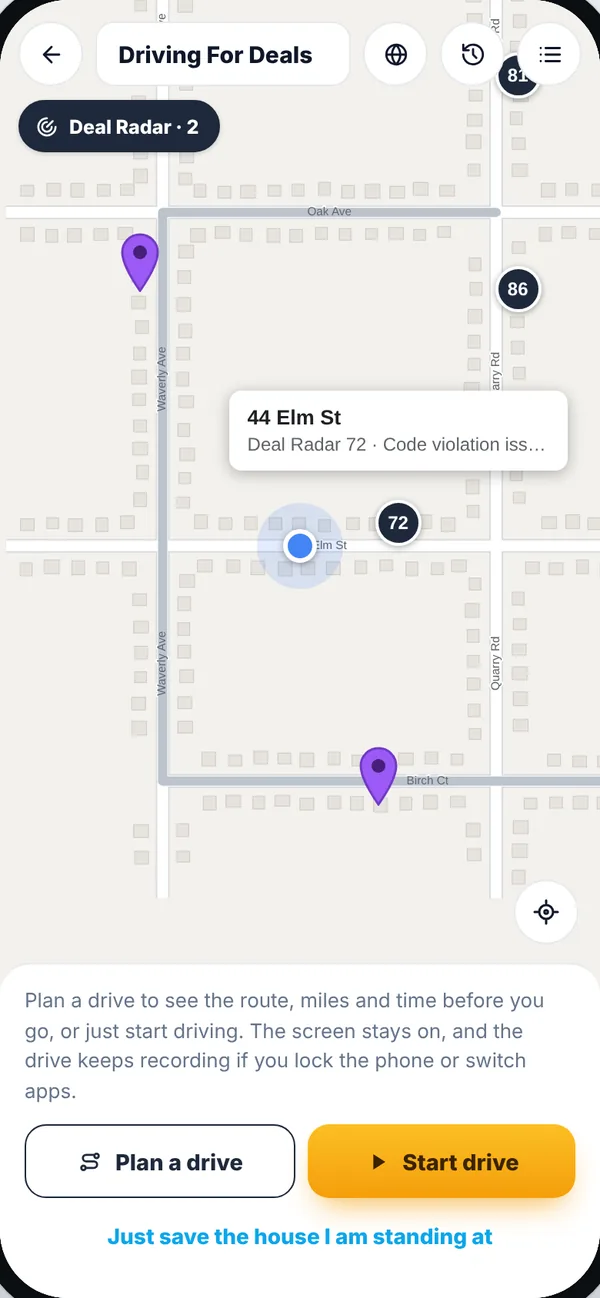
Driving For Deals
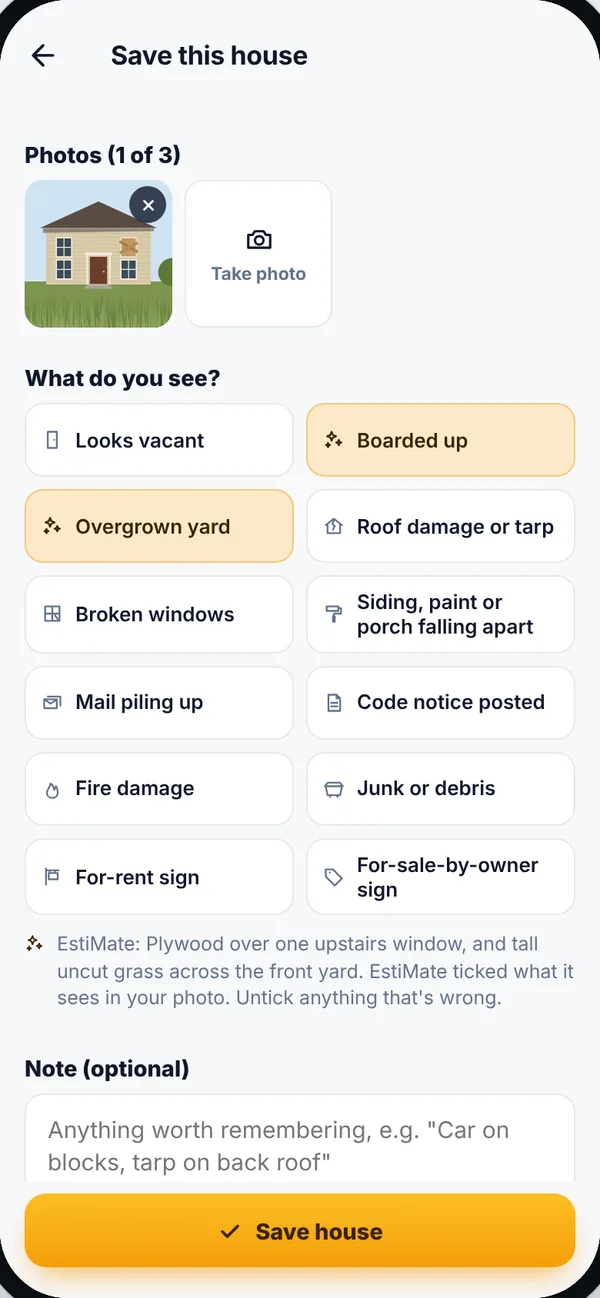
Records your drive, saves the houses worth a look with a photo and what you saw, and shows who owns them, what they are worth and the equity.
Where: in the EstiMate app, Driving For Deals on the home screen. No plan needed.
EstiMate
Photograph each room and EstiMate names the work, puts a quantity and a cost on every line at your rates, and works out your maximum allowable offer.
Where: the EstiMate app, and estimate.reilink.com on a computer.
Deal Radar and Apex Vivus sign in with the same account and join in where it helps: with Deal Radar, its scored leads show on the drive map, and with Apex, a saved house goes to your CRM as a lead.
One house, start to offer.
-
1
Find it
Driving For DealsDrive the neighbourhood. Save the house with a photo and what you saw; the owner, the value and the equity come with it.
-
2
Price it
EstiMateTap Start estimate on the saved house. Walk it with your phone: the scope, the repair cost and your maximum offer build as you go.
-
3
Offer it
EstiMateSend the offer as a live web page, a PDF with the photo beside every repair, or a proposal they can sign.
It works because it is one system: a house saved in either app is in both, and its address and photos carry into the estimate.
A few minutes each. Start anywhere.
-
 Lesson 1 · Driving For Deals
Find houses with Driving For Deals
Record your drive, save the houses worth a look with a photo, and see who owns them and what they are worth.
Start the lesson -
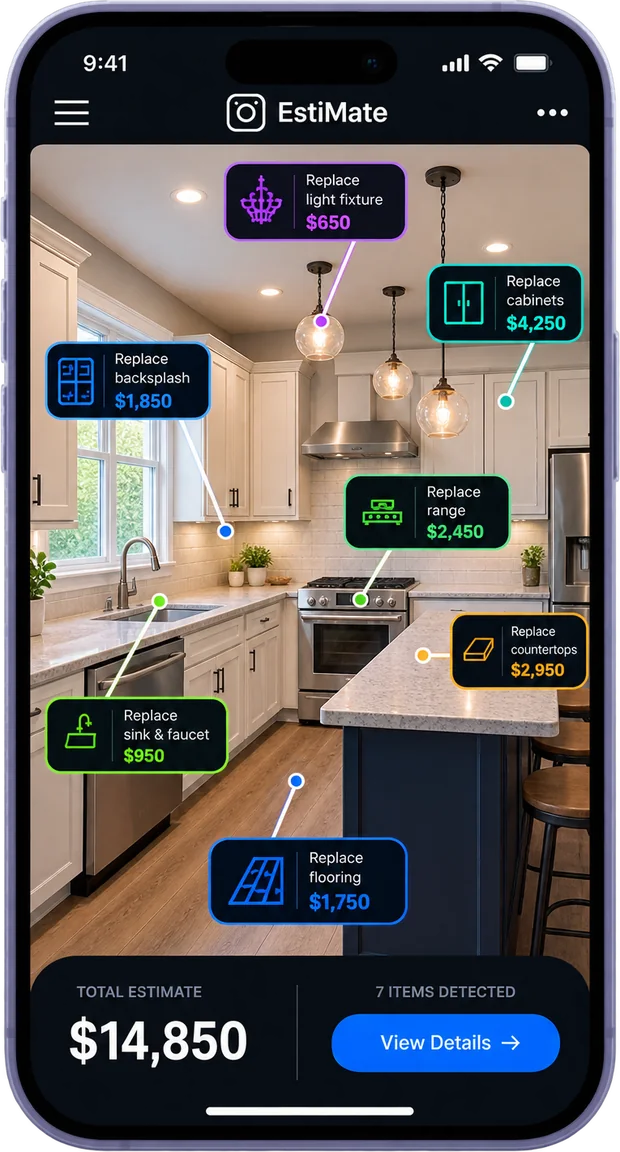 Lesson 2 · EstiMate
Price a rehab from your phone
Photograph each room. The scope, the repair cost and your maximum offer build as you walk.
Start the lesson -
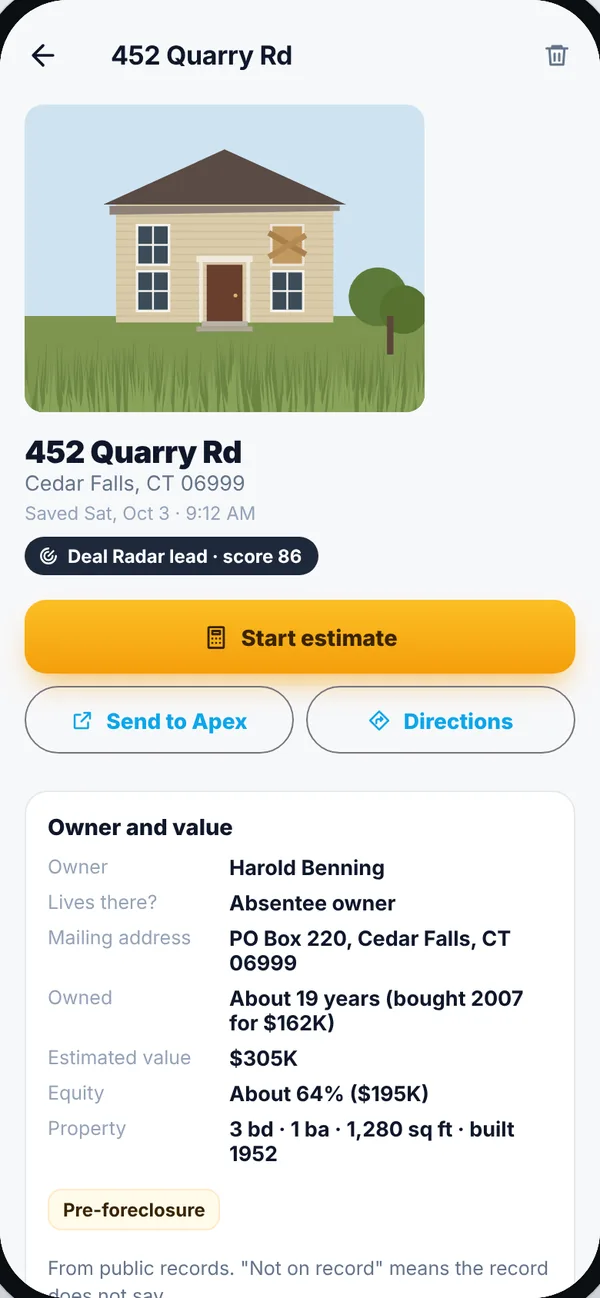 Lesson 3 · Driving For Deals and EstiMate
From saved house to sent offer
How a house you pass on the street becomes a priced offer, without typing anything twice.
Start the lesson
On your phone, and at the desk.
| Tool | On your phone | On a computer |
|---|---|---|
| EstiMate | The EstiMate app. New project starts an estimate. | estimate.reilink.com: sign in and the same projects are there, ready to take apart. |
| Driving For Deals | In the EstiMate app, Driving For Deals on the home screen. | A house you start an estimate on becomes an EstiMate project, on the web too. |
Before you start.
Do I need a plan for Driving For Deals?
No. Driving For Deals comes with any REILink account. Looking up the owner and value, the owner’s phone and EstiMate’s look at a photo use AI credits, charged only when they work.
What does EstiMate cost?
On the phone, EstiMate is free for a week, from your first property. After that, the projects you made stay open, and a plan lets you add more. The plans are on the pricing page.
Does it work without signal?
Yes. A house you save with no bars waits on the phone and uploads when you are back in range, and EstiMate works with zero signal and syncs when you reconnect.
Is a house I save on a drive the same house in EstiMate?
Yes. Start estimate on a saved house opens EstiMate at that address, with the photos you took already in the project.
How do I sign up?
One REILink account opens everything. Create it from the sign-in screen of the app, or sign up here.
